
What Is a Wall Calendar? Formats, Sizes, and How to Make Your Own
A wall calendar is defined by reading distance, not decoration — it has to be legible from across the room. Here are the five formats, the sizes that actually get printed, how it differs from a desk calendar, and how to design your own in Canva.

Everyone knows what a wall calendar is until they try to design one. Then the questions start: how big should it be, how large do the date numbers need to be, does the photo go above or below the grid, and how is the thing supposed to hang?
The answers all come from one constraint that has nothing to do with decoration.
The definition #
A wall calendar is a calendar designed to be read from across a room while hanging vertically on a wall.
That's it. And that single constraint decides almost everything else about it:
- It has to be legible at distance. Two to four metres, typically. So the date numbers are large, the weekday headers are short, and the layout stays simple. Anything fiddly disappears at that range.
- It has to hang. Which means a binding, a punched hole, a grommet or a hanger loop at the top — and a top margin wide enough that the fixing never covers a date.
- It's mostly looked at, not written on. A wall calendar answers "what does this month look like?" from the doorway. There's usually some writing space, but it's secondary.
- It gets one page of attention per month. Twelve pages, twelve moments. That's why the photo calendar became the default format — each month is a small reveal.
Compare that to a desk calendar, which is read at arm's length and exists mainly to be scribbled on, and you can see why the two look so different even though they contain the same dates.
The five formats #
1. Fold-over photo calendar #
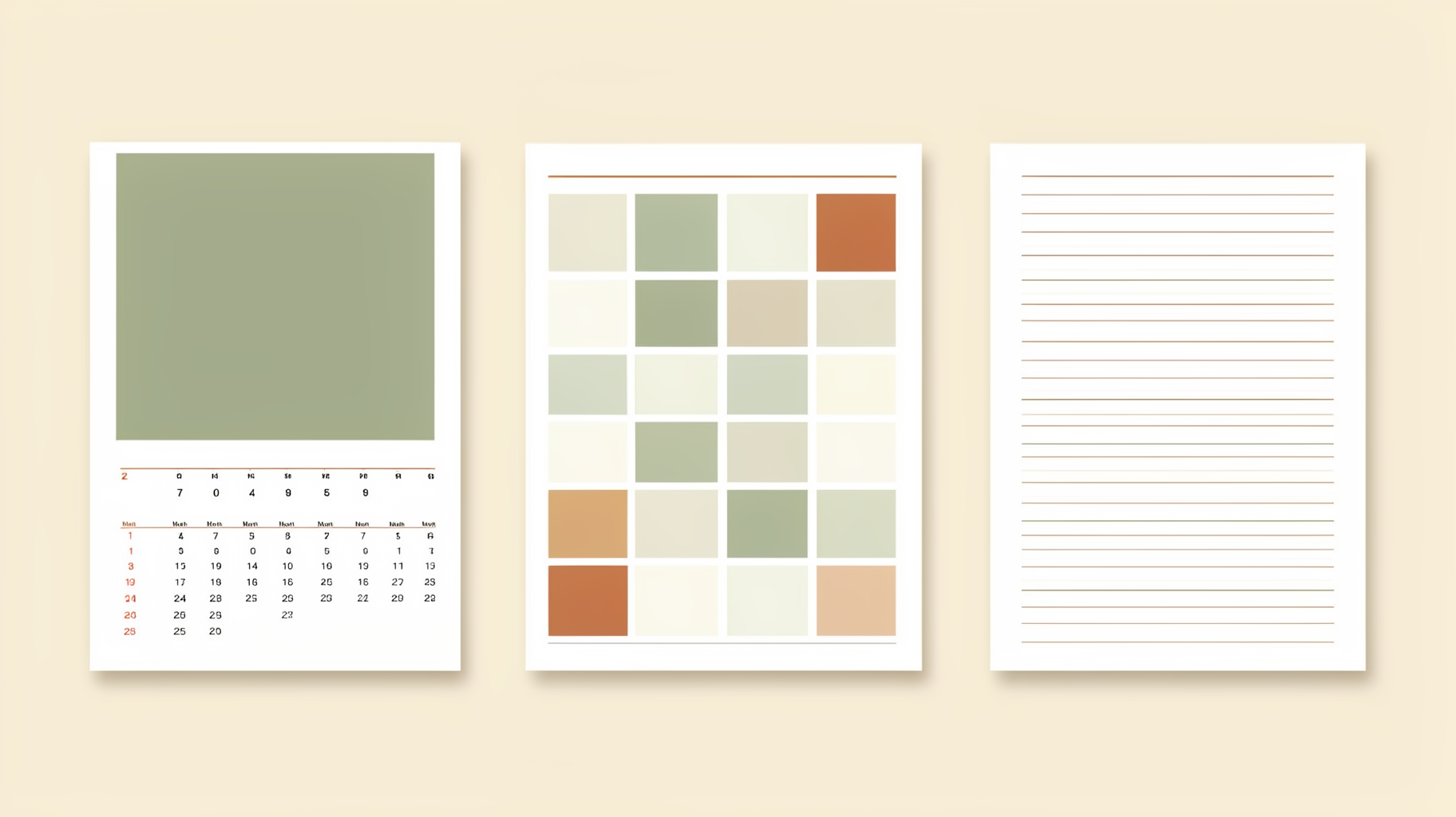
The classic. A full-page image on top, the month grid below, bound at the fold or at the top with wire. You hang it by the binding and the whole thing opens out to double its closed height. This is what most people picture when they hear "wall calendar", and it's the format every photo-print service sells.
Best for: gifts, family photos, anything where twelve images are the point.
2. Single-sheet month calendar #
No photo page — just twelve grid pages stapled or bound at the top, each one a full month. Smaller, cheaper, and far more writing space per month because the grid uses the whole sheet.
Best for: kitchens, workshops, shared household calendars, anywhere the calendar is a working surface rather than decor.
3. Year-at-a-glance wall planner #
All twelve months on one large sheet, usually as twelve columns or a 4×3 block of mini-months. You never turn a page — the whole year is visible at once, which is the entire point.
Best for: project timelines, school terms, shift patterns, holiday planning, anything where you need to see January and October in the same glance.
4. Poster / art calendar #
A single decorative sheet where the design is the product and the dates are small. Often typographic, often framed afterwards and kept long past the year it covers.
Best for: studios, gifts for design-minded people, brand merchandise.
5. Dry-erase or perpetual calendar #
Undated. A blank month grid you fill in yourself each month — printed on board, laminated paper, or behind glass. Never expires, which is either the appeal or the drawback depending on how much you like rewriting dates.
Best for: family command centres, classrooms, teams.
Sizes that actually get printed #
| Format | Typical finished (hanging) size | Photo page? | Writing space |
|---|---|---|---|
| Fold-over photo | 11×17 in (from 11×8.5 in pages), or A3 from A4 | Yes, full page | Small |
| Square photo | 12×24 in (from 12×12 in pages) | Yes, full page | Small |
| Single-sheet month | 8.5×11 in to 11×17 in / A4–A3 | No | Generous |
| Year-at-a-glance planner | 18×24 in up to 24×36 in / A1 | No | Tiny per day |
| Poster / art | 18×24 in, 24×36 in | Sometimes | None |
These are ranges, not standards — there is no ISO wall calendar. Two practical notes:
- Decide the finished hanging size first, before you design anything. A fold-over calendar is designed at the closed page size but read at the open size, and forgetting that is the single most common wall-calendar mistake.
- In the US the fold-over is 11×8.5 in; in most of Europe it's A4. If you're sending files abroad, say which.
How big should the date numbers be? #
This is the question nobody answers, so here's a working rule: a wall calendar's date numbers should be at least 1 mm tall for every 30 cm of viewing distance — roughly 10 pt at one metre, 30 pt at three metres.
In practice, on an A3 fold-over calendar meant for a kitchen wall, date numbers land somewhere around 24–36 pt and the month name around 48–72 pt. Design it at 100% zoom, then step back from your monitor to the distance the calendar will actually hang at. If you're squinting, the numbers are too small — and that's before the calendar has anything written on it.
Wall calendar vs desk calendar vs planner #
Three products, three different questions:
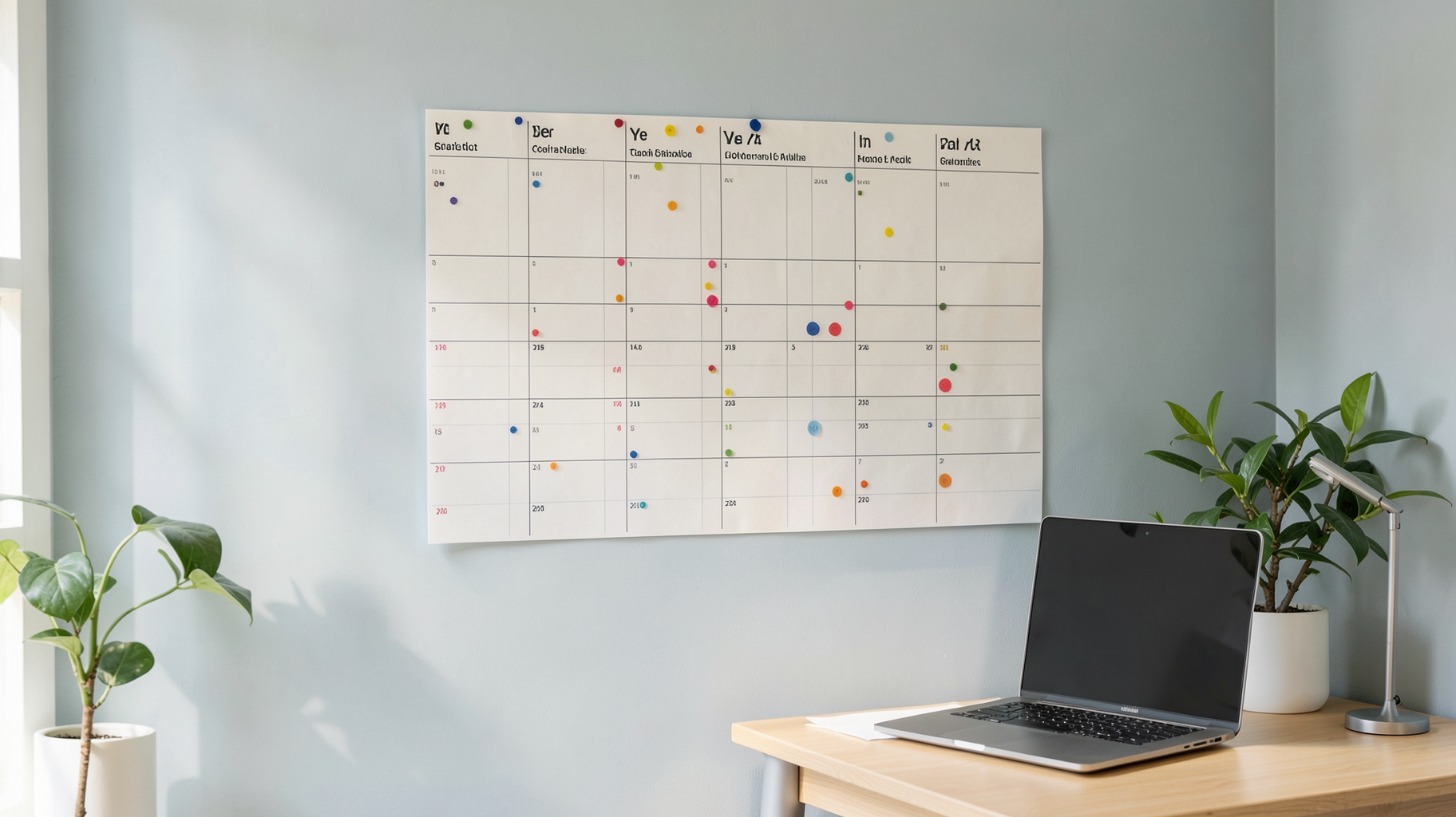
- Wall calendar — "What does this month look like, from across the room?" Big numbers, one big image, minimal writing.
- Desk calendar — "What does this month look like while I'm working?" Small numbers, lots of writing space, always in reach.
- Planner — "What am I doing on Tuesday, hour by hour?" Bound, private, week or day spreads.
A wall calendar is the only one of the three that other people in the room can read. That's its actual job, and it's worth remembering when you're tempted to cram in detail.
Why make your own instead of buying one #
Buying is faster, and for a generic 12-month grid it's hard to beat. Making your own wins on three things:
- Your dates. School terms, shift rotas, race season, a client's fiscal year, birthdays. Shop calendars only know public holidays.
- Your photos. Twelve photos, twelve months — it's still one of the easiest personalised gifts there is.
- Your size. If you have a specific gap on a wall, or you want a square when everyone sells portrait, nothing off a shelf will fit it.
The catch has always been the grid itself. Twelve month tables, roughly 400 date cells, every one of which has to line up with the correct weekday, and February changes length every four years. That's where most DIY calendar projects quietly die.
How to make a wall calendar in Canva #
- Set the size first. Create a custom-size design at the finished dimensions. For a fold-over calendar, design at the closed page size (11×8.5 in or A4) and remember every spread hangs as two pages. If a print shop is producing it, add bleed — here's what bleed means if that's new.
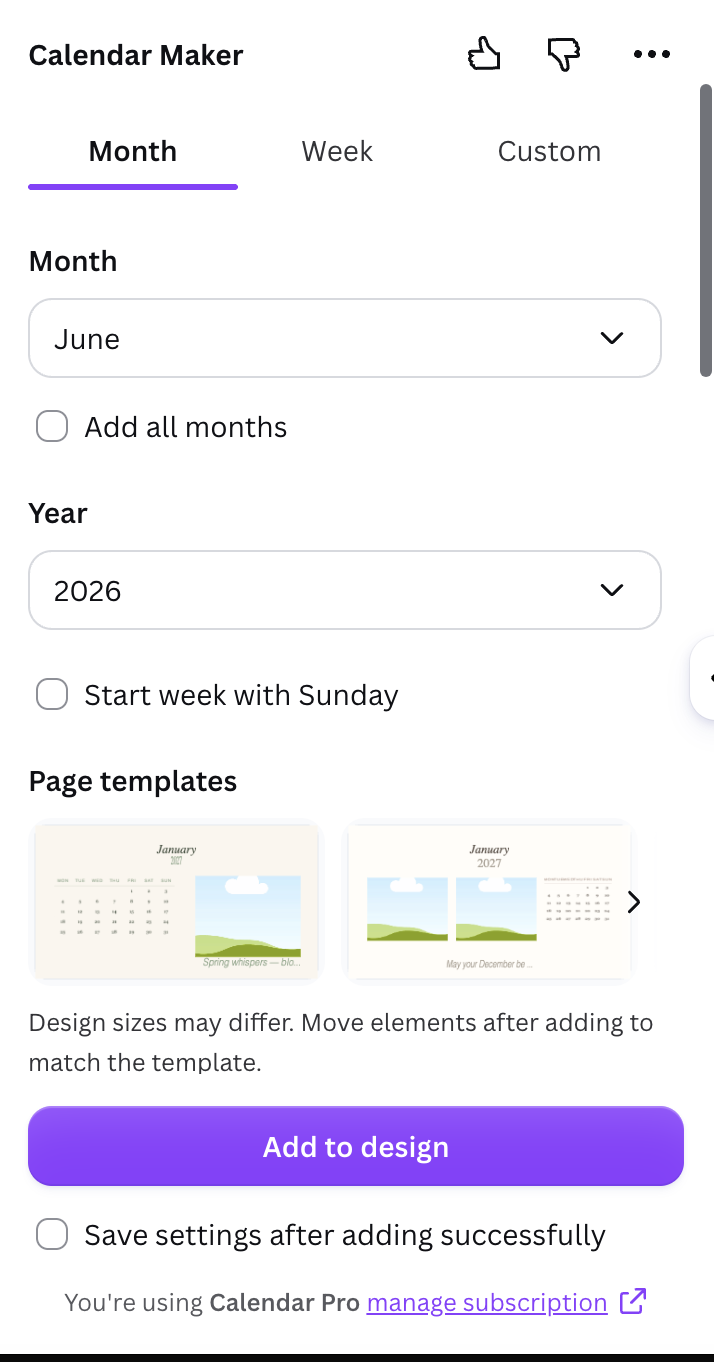
- Generate the grid, don't draw it. Canva's template library has editable calendar templates, which are fine if one matches your style. If you want your own layout, QRdy's Calendar Maker Canva app generates the date grid for you — pick a month and year and it drops a correct, styled grid into your open design. The settings that matter for a wall calendar specifically:
- "Add all months" together with "Each month on its own page" builds all twelve months in one pass, each on its own page named by month and year. That's exactly the structure a fold-over calendar needs.
- "Start week with Sunday" switches between the US and European layouts. The app guesses from your region — check it before you print twelve pages.
- Header and Number styling control the two things that decide legibility at distance: font size and colour. Push the number size higher than feels right on screen.
- Background colours set the header bar and alternating row fills, which is what makes a grid readable at a glance rather than a wall of digits.
- Leave the top margin alone. Whatever holds the calendar up — wire binding, a punched hole, a grommet, a strip of tape — lives in the top 10–15 mm. Put nothing there.
- Decorate around the grid, not on top of it. Calendar Maker's Month tab includes about 14 themed page templates (Botanical, Watercolour, Scandi Minimal, Coastal, Vintage Postcard and similar) that add decoration and shift the grid palette to match, plus 30-odd ready-made colour themes. For the photo half, Image to Frame turns any PNG or SVG shape into a real Canva frame so a monthly photo can be an arch, a circle or a custom silhouette, Frames Lab builds arc and grid frame layouts if you want several photos on one page, and Border Art Maker runs a repeating border around the edge.
- Export and print. PDF Print for a print shop, PNG or PDF for home printing. Use a heavier stock than you think — anything under about 170 gsm curls on a wall and shows the next month through the page. If colour accuracy matters, read up on CMYK vs RGB before you send the file, because calendars are a worst case for colour drift: a photo, a coloured header bar and alternating fills, twelve times over.
- Optional: make it a doorway. For a team, class or event calendar, a QR code linking to the shared digital calendar turns the paper version into an entry point rather than a dead end. Qrdy — Dynamic QR codes can be re-pointed after printing, which matters because the link always changes eventually.
If you'd rather see the two approaches side by side before committing, we compared building a calendar by hand versus using Calendar Maker in detail.
One honest caveat #
Calendar Maker is a paid app. Free users can configure everything and watch the live preview, but "Add to design" sits behind the Pro unlock. If you need one month, once, Canva's own calendar templates or a hand-drawn table will get you there for nothing. The app earns its place when you're producing all twelve months, or making calendars more than once — which is precisely why it has a saved-setups feature.
And a fair word for the alternative: for a plain, undated, generic wall calendar, buying one is cheaper than printing one. Making your own is worth it when the dates, the photos or the size are yours specifically.
In short #
A wall calendar is defined by reading distance, not by what's printed on it. Pick the format by how it will be used — fold-over for photos, single-sheet for writing on, year-at-a-glance for planning, poster for display, dry-erase for forever — lock the finished hanging size before you design, size the date numbers for the room rather than the screen, and generate the grid instead of drawing it. Everything else is decoration.
Frequently asked questions
There is no single standard, but three sizes cover most of what gets printed. The classic fold-over photo calendar is 11x8.5 in per page and hangs at 11x17 in when open (in Europe, A4 folding to A3). Square photo calendars are 12x12 in, hanging at 12x24 in. Oversized planners and year-at-a-glance wall charts run from about 18x24 in up to 24x36 in or A1. Pick the finished hanging size before you design anything, because a grid that looks balanced at A3 falls apart when you scale it to a poster.
Reading distance. A wall calendar is read from two to four metres away, so the date numbers have to be large and the layout simple — it's mostly a display object with a little writing space. A desk calendar sits at arm's length, so the numbers can be small and the writing space matters far more. That single difference drives the size, the type scale and how much decoration each one can carry.
It depends on the binding. Wire-o (spiral) calendars come with a metal hanger loop built into the binding, which needs a small nail or hook. Saddle-stitched and single-sheet calendars usually have a punched hole or a grommet at the top centre. If you don't want to put a hole in the wall, a strip of removable mounting tape or washi tape along the top edge holds a paper calendar fine, and a magnetic strip works on a fridge or a metal cabinet. Whatever you use, leave 10-15 mm of clear margin at the top of your design so the fixing doesn't cover any dates.
Yes. Set your design to the finished hanging size first, then generate the month grid instead of drawing it by hand. Canva has editable calendar templates, and QRdy's Calendar Maker app generates a correct date grid for any month, week or custom date range and inserts it straight into your open design — including all 12 months, each on its own page, in a single pass. Export as PDF Print and send it to a print shop, or print at home on heavier paper.
Related products


More from QRdy Blog
How to Take Product Photos for Etsy With Your Phone (That Also Work as Mockup Templates)
Window light, rear camera at 1x, a clean print area and one untouched shot: an 8-step phone photo routine for Etsy sellers, plus how to shoot blank products so the same photos become reusable mockup templates.

How to Outline Text in Canva (3 Ways, Including Outlined Photo Letters)
Learn how to outline text in Canva with the built-in Outline effect, a stacked-copy trick for thick borders, and Text to Frames for outlined letters filled with photos.

What Is an Alpha Channel? Meaning, File Formats, and Why It Matters for Canva Frames
An alpha channel stores how opaque each pixel is. Learn how it works, which formats support it (PNG, WebP, not JPG), and why it lets a Canva frame follow your real shape.