
What Is a Stencil? Meaning, Types, and How to Turn a Stencil Shape into a Canva Frame
A stencil is a cut-out template that lets paint or ink pass through only where you want it. Learn how stencils work, the main types, and how to turn a stencil shape into a photo frame in Canva.
A stencil is a thin sheet of paper, plastic, metal or card with a shape cut out of it. You lay it on a surface, apply paint, ink or spray through the opening, and only the cut-out area gets colored. Lift the sheet and you have a clean copy of the shape, and because the stencil is reusable you can repeat it as many times as you like.
The word also shows up in design. A "stencil shape" is simply a bold silhouette with solid edges and no fine interior detail, which is exactly the kind of shape that works well as a mask or a photo frame.
How a stencil works #
The idea is simple: the cut-out is positive space, the sheet is negative space. Color can only reach the surface where the sheet is missing. That is why stencil designs are built from solid shapes joined by small "bridges", the thin strips of material that hold islands (like the middle of the letter O) in place.

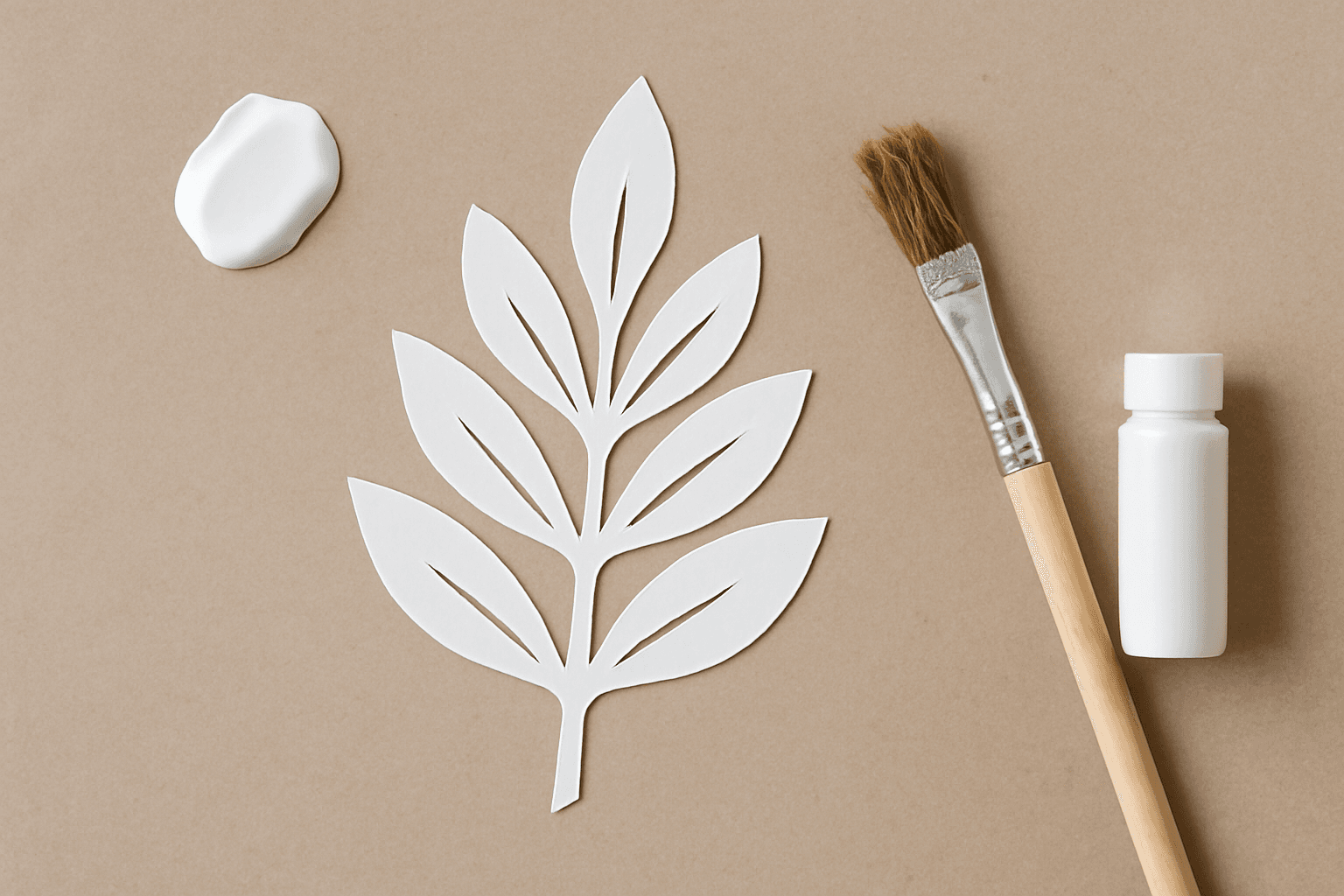
A leaf silhouette: solid, high-contrast, easy to cut. This is what a good stencil shape looks like.
Common types of stencils #
| Type | Made from | Typical use |
|---|---|---|
| Paper or card stencil | Cardstock, freezer paper | One-off crafts, kids' projects |
| Mylar (plastic) stencil | Reusable plastic sheet | Wall painting, furniture, repeat patterns |
| Letter and number stencil | Plastic or metal sets | Signs, labels, crates |
| Adhesive (vinyl) stencil | Cut vinyl with sticky back | Crisp edges on wood, glass, fabric |
| Airbrush / spray stencil | Thin film or metal | Street art, shirts, model painting |
| Digital stencil | PNG / SVG silhouette | Cutting machines, print, and masking in design apps |
Stencil vs similar words #
- Stencil vs silhouette: a silhouette is the solid outline shape; a stencil is that shape cut into a sheet so color can pass through.
- Stencil vs die cut: a die cut is a shape cut out of the material itself (a sticker, a card). A stencil is the leftover frame you paint through.
- Stencil vs template: a template is a layout to follow; a stencil physically controls where color lands.
How to make a good stencil shape #
- Pick a bold silhouette. Leaves, stars, hearts, animals and block letters work. Thin hairlines and gradients do not.
- Keep it one solid color. Black on white is easiest to read and to convert later.
- Add bridges for islands. Any enclosed area needs a thin connector or it will fall out when cut.
- Size it for the job. Smaller than about 5 cm and the details get fussy to paint through.
- Test on scrap first. A dab of paint on a spare sheet shows you whether edges bleed.
Turn a stencil shape into a Canva photo frame #
Here is the useful trick for digital designers: the same solid silhouette that makes a good stencil also makes a great photo frame. Instead of painting through the shape, you drop a photo into it.

The same kind of shape as a frame: photo in, shape out.
Canva's built-in frame library covers the basics, but not your own custom stencil art. Image to Frame, a Canva app from QRdy, converts a PNG, SVG or JPG (up to 5MB) into a valid Canva frame. Here is the workflow:
- Prepare the shape. Use a solid silhouette with a transparent background. If your image still has a white or colored background, remove it first, otherwise the frame comes out as a plain rectangle.
- Open Image to Frame in Canva. Upload the file, pick the image already on your page, or export the page as a transparent PNG.
- Check the preview. The app shows the frame it will create. Swap the image if the outline is not what you expected.
- Set the border (optional). Adjust thickness and color. The border appears once the frame is in your design.
- Click "Add frame to design". The shape lands on your page as a real Canva frame.
- Drop a photo or video in. Drag any image onto it and it fills the stencil shape.
Tips: SVG files suit simple line shapes best; very complex curves may not convert, in which case try a simpler version of the shape. Need the stencil to be letters? Text to Frames turns each character into its own frame, and Frames Lab builds arcs, grids and polygons without needing artwork at all.
When to use a real stencil vs a digital one #
Use a physical stencil when you are painting, spraying or embossing a real surface: walls, wood, tote bags, cookies. Use a digital stencil shape when the end result is a printed or on-screen design: photo collages, posters, cards, gift tags, name art.
Quick recap #
A stencil is a cut-out sheet that controls where paint or ink lands. Good stencil shapes are bold, solid silhouettes with bridges for enclosed areas. And that same silhouette can become a Canva photo frame in a few clicks with Image to Frame, so one shape serves both your craft table and your design file.
Frequently asked questions
A stencil is a thin sheet with a shape cut out of it. You hold it on a surface and apply paint, ink or spray through the opening, so only the cut-out area gets colored and you can repeat the same shape many times.
A stencil is a physical or digital cut-out you apply color through. A template is a pre-made layout you fill in or trace. In craft use the words overlap, but a stencil always has openings that let material pass through.
Yes. Save the stencil shape as a PNG or SVG with a transparent background, load it into the Image to Frame Canva app (up to 5MB), add it to your design, and drop any photo or video into it.
Related products


More from QRdy Blog

How to Make a 2026-2027 School Year Calendar in Canva (Semester by Semester)
Build a printable 2026-2027 school year calendar in Canva: generate each month or semester with Calendar Maker, mark breaks and exam weeks, and print or share it as a PDF.
Throw Pillow Mockup Ideas for Etsy Home Decor Shops (7 Real Examples)
Seven throw pillow mockup ideas for Etsy home decor shops, from florals to gingham to photo prints, each with a real render made from one plain pillow photo in a single batch, plus tips on fit, folds and listing workflow.
10 Christmas Photo Frame Ideas You Can Make in Canva (Shaped, Printable)
Ten Christmas photo frame ideas for Canva: star, tree, mitten and bauble windows, a Frames Lab burst, a photo-letter JOY banner, plus print tips and where Canva's built-in frames are enough.