
The Best Canva Apps for Etsy Sellers (2026)
If you sell printables, personalized prints, or physical products on Etsy, Canva is probably where you design everything. These six Canva apps handle the parts Canva itself makes slow — calendar grids, custom-shaped mockups, photo-filled name art, and packaging inserts.
Selling on Etsy means designing constantly — new listing images, seasonal product variations, packaging inserts, and (if you sell digital) the products themselves. Most Etsy sellers already do this in Canva, and Canva handles the easy 80%.
The other 20% is where the hours go: drawing a calendar grid cell by cell, cropping a product photo into a shape that isn't a circle or a square, making a name print where each letter holds its own photo. Canva either can't do those or makes you do them manually.
These are the six Canva apps I'd install first if I were running an Etsy shop in 2026, ranked by how much time they actually save.
Quick pick #
| If you sell… | Use this app | What it does for you |
|---|---|---|
| Printable calendars, planners, trackers | Calendar Maker | Generates real month/week/date-range grids into your design |
| Personalized name prints & signs | Text to Frames | Turns each letter into a Canva frame you fill with a photo |
| Physical products with custom mockups | Image to Frame | Converts any PNG/SVG shape or your logo into a usable frame |
| Listing collages & shaped photo layouts | Frames Lab | Grid, arc, burst and diagonal photo frames by parameter |
| Wall art, stationery, printable decor | Border Art Maker | Repeating decorative borders with even spacing |
| Packaging inserts & thank-you cards | Bulk QR | Batch-generates QR codes from a list |
1. Calendar Maker — for printable calendars and planners #
Printables are one of the largest digital categories on Etsy, and calendars and planners sit right at the top of it. They're also the most tedious thing to build in Canva, because Canva has no calendar generator. You draw a table and type the dates. Twelve times, if you're selling a full-year set.
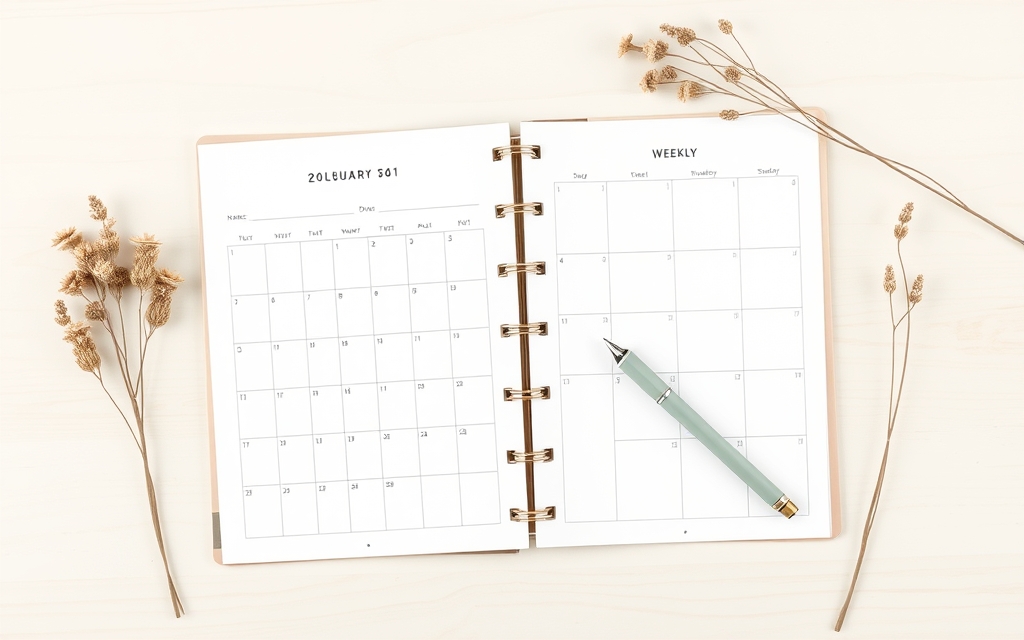
Calendar Maker replaces that. Pick a month and year and it inserts a real date grid into your open design. Three tabs cover the formats sellers actually list:
- Month — a standard month grid. Toggle Add all months to build all twelve at once, and Each month on its own page to put each one on its own page (auto-named "Month - Year").
- Week — a weekday table with a configurable number of rows (1–27), which is how you get weekly planners, meal plans, and habit trackers.
- Custom — any date range up to 150 days, for semester planners and challenge trackers.
You control the header font, the number font, sizes, alignment, header bar colour, and alternating row colours. There are 30+ preset palettes if you'd rather not pick colours yourself, plus about 14 decorative page templates (Botanical, Watercolour, Scandi Minimal, Coastal, Vintage Postcard, and others).
The feature that matters most for a shop is saved setups. Tick "Save settings after adding successfully" and your whole configuration is stored, so next season's listing uses your existing style in one click instead of being rebuilt. Each tab keeps around 30 saved setups.
Watch out for: week start defaults to your locale — turn on Start week with Sunday if you're selling to a US audience. And Calendar Maker is Pro-gated: free accounts see "Unlock to use" instead of "Add to design".
Best for: printable calendar shops, planner sellers, teacher-resource shops, anyone listing a 2026 or 2027 set.
2. Text to Frames — for personalized name prints #
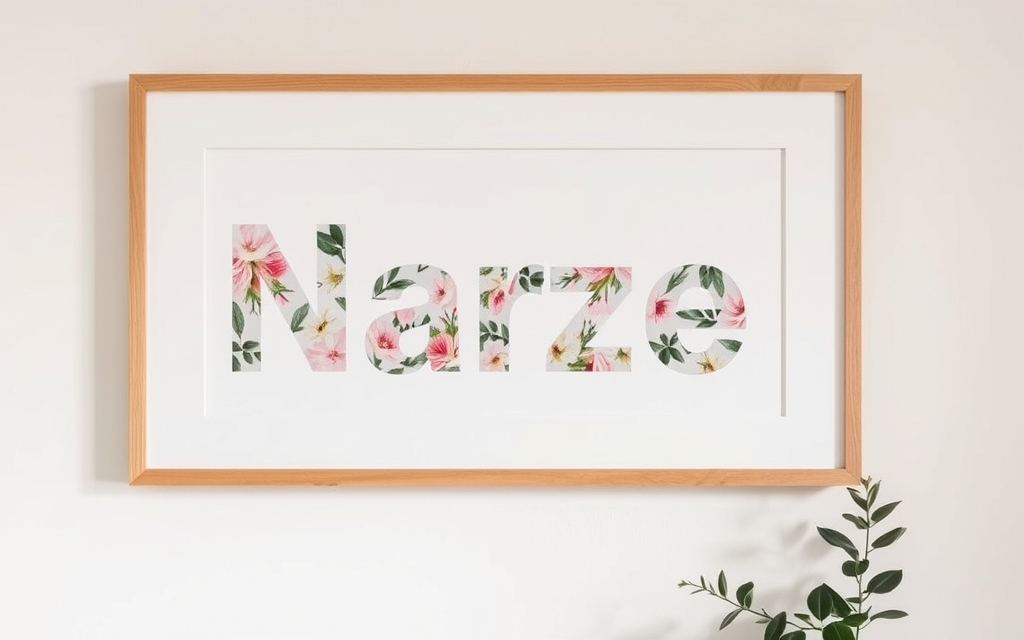
Personalized is the highest-margin corner of Etsy, and photo-filled lettering is one of the few effects that still reads as custom work. Text to Frames types a word and turns every letter into a genuine Canva frame — not a flattened PNG. You drag a photo into a letter and it fills the letterform; drag to reposition it inside; swap it for a different photo any time.
The key toggle is Split into letters. With it on, each letter is its own frame, so a name can hold a different photo in every character — a nursery name with a different pastel texture per letter, a couple's initials with a photo each, a pet name filled with pet photos.
You get 100+ Google Fonts (5 free: Roboto, Open Sans, Lato, Playfair Display, Pacifico), letter spacing from −100 to 100, and three Pro effects — Blur, Border, and Inner shadow — each with its own colour. Border is the one you'll use most on prints, because a photo-filled letter tends to disappear against a busy background without an outline.
Honest note: Canva's own text-to-image effect (or the Clipping Mask app) shows one image across the whole word. That's a different look and often the right one for a title. Text to Frames is specifically for per-letter photos.
Best for: name prints, nursery decor, monogram art, wedding signage, personalized gift listings.
3. Image to Frame — for mockups in your own shapes #
Canva's built-in frames are a fixed library. If your brand shape is an arch, a bottle silhouette, or your own logo, you can't put a photo inside it — Canva has no "make this a frame" button.
Image to Frame does exactly that: upload a PNG, SVG, or JPG (up to 5MB), or select a shape already sitting in your design, or export the whole page, and the app converts it into a valid Canva frame. Then you drop product photos in.
For an Etsy shop that means: product shots inside your logo for branded listing images, arch-shaped mockups for wall art, seasonal silhouettes (pumpkin, tree, heart) for holiday variations of the same listing. There's also a Frame Store of ready-made shapes if you don't want to build one.
The one rule that decides your result: remove the background first. If your source image still has a white or coloured background, you'll get a rectangle. Transparent PNG in, correctly shaped frame out. You can also set a border thickness (0–50) and colour, though the border only shows after the frame lands in your design, not in the preview.
Best for: branded mockups, shaped wall-art previews, seasonal listing variants, print-on-demand shops.
4. Frames Lab — for listing collages and shaped photo layouts #
Etsy gives you ten listing image slots and most sellers waste half of them. Multi-photo collage images — detail shots, size comparison, styled-in-room — are what fills them properly, and Canva's native Grids only do rectangles.
Frames Lab is the parametric option. The Create tab has five modes:
- Grid — set columns, rows, gap, rounded corners, and an optional wave distortion. Up to about 30 cells.
- Arc — arc and arch frames (set the sweep in degrees plus a start angle). The shape behind most 2026 wall-art mockups.
- Diagonal — angled strips with adjustable spacing and angle.
- Burst — random sunburst/spark frames, good for sale badges and "new" flashes.
- Shape — turn a shape already in your design into a frame (add it from Elements, hit Recheck design).
There's also an Explore tab of ready-made frames and a Style tab that re-adds a frame you used recently with Blur, Border, or Inner Shadow applied. Frames auto-scale to your design size, so a layout built for a 2000×2000 listing image doesn't need manual resizing.

Free tier note: free users get a limited number of frame adds before an upgrade prompt.
Best for: listing image sets, review-photo collages, arch mockups, sale badges.
5. Border Art Maker — for stationery and printable decor #
Decorative borders sell printables. A plain date grid is a commodity; the same grid inside a botanical border is a product. Border Art Maker builds repeating borders from dots, icons, or your own images, distributing them evenly and letting you tune spacing and rotation — instead of you duplicating one leaf element forty times and nudging each copy.
Pair it with Calendar Maker (border around the month grid) or with a plain photo (bordered print, no frame needed).
Best for: printable wall art, stationery sets, gift tags, calendar page decoration.
6. Bulk QR — for packaging inserts and thank-you cards #
A QR code on the thank-you card is the cheapest review-request channel an Etsy shop has. Bulk QR generates codes in batches from a list — links, text, email, SMS, WiFi, MeCard — so you can produce a code per product, per variant, or per campaign in one pass instead of one at a time.
Common Etsy uses: a review-request code on the insert card, an assembly-instructions video code for physical kits, a "shop my other listings" code, a WiFi code if you sell printed WiFi signs.
Honest note: these are static QR codes — the destination is baked in and can't be changed after printing. If you need to redirect a code after cards are already printed, that's what a dynamic QR service is for.
What Canva already does well #
Worth saying plainly, because you don't need an app for everything:
- Templates — Canva's Etsy listing and shop banner templates are genuinely good starting points.
- Background Remover (Pro) — needed before Image to Frame anyway.
- Brand Kit (Pro) — colours and fonts locked across every listing; no app replaces this.
- Bulk Create (Pro) — for variant listings driven by a spreadsheet.
- Native Frames and Grids — fine when a circle, a rectangle, or a plain grid is all you need.
These apps are for the specific jobs Canva doesn't cover: date grids, arbitrary frame shapes, per-letter photo text, parametric collages, repeating borders, and batch QR.
A starter stack #
If you're setting up from scratch, install in this order and stop when you've covered what you sell:
- Digital printables shop → Calendar Maker + Border Art Maker
- Personalized print shop → Text to Frames + Image to Frame
- Physical product shop → Image to Frame + Frames Lab + Bulk QR
Every one of them has a free tier or a trial, so you can test them against your actual listings before deciding which are worth paying for.
Frequently asked questions
Generally yes for the output you create — a calendar grid, a frame shape, a border — but the rules that matter most are Canva's own licensing terms for any stock photos, fonts, or elements you drop inside them. Canva's content license restricts reselling stock assets as-is or as the main value of a template. The safe pattern most sellers use: build the layout with these apps, then fill it with your own photos, your own fonts, or assets you have a commercial license for. When in doubt, check Canva's Content License Agreement for the specific element.
No — these are third-party Canva apps with their own free tiers and Pro upgrades, separate from a Canva subscription. Frames Lab gives you a limited number of frame adds for free; Text to Frames includes 5 free fonts with the rest behind Pro; Calendar Maker and Image to Frame need their own unlock for full use. You can install and try each one from the Canva Apps panel before paying anything.
It depends on what you sell. Printables and planners: Calendar Maker, because typing out date grids by hand is the single biggest time sink in that category. Personalized prints and signs: Text to Frames. Physical products where listing photos do the selling: Image to Frame or Frames Lab for shaped mockups and collage listing images.
Related products


More from QRdy Blog
How to Take Product Photos for Etsy With Your Phone (That Also Work as Mockup Templates)
Window light, rear camera at 1x, a clean print area and one untouched shot: an 8-step phone photo routine for Etsy sellers, plus how to shoot blank products so the same photos become reusable mockup templates.
How to Outline Text in Canva (3 Ways, Including Outlined Photo Letters)
Learn how to outline text in Canva with the built-in Outline effect, a stacked-copy trick for thick borders, and Text to Frames for outlined letters filled with photos.

What Is an Alpha Channel? Meaning, File Formats, and Why It Matters for Canva Frames
An alpha channel stores how opaque each pixel is. Learn how it works, which formats support it (PNG, WebP, not JPG), and why it lets a Canva frame follow your real shape.